- 1 What Is a “Schema” in MySQL? (Terminology and Fundamental Concepts)
- 2 [Basics] How to Check MySQL Schemas (List, Switch, Tables)
- 3 [Advanced] Retrieving Detailed Information Using INFORMATION_SCHEMA
- 4 [Expert] Using InnoDB Metadata and the sys Schema (MySQL 8.0+)
- 5 [Quick Reference by Use Case] Recommended Commands
- 6 [Troubleshooting and Error Handling]
- 7 FAQ (Frequently Asked Questions)
- 7.1 Q1. How does a MySQL schema differ from schemas in Oracle or PostgreSQL?
- 7.2 Q2. What is the most efficient way to retrieve detailed column information?
- 7.3 Q3. How can I check character set or collation?
- 7.4 Q4. I do not have permission to view information. What should I do?
- 7.5 Q5. How do I check schema information in GUI tools?
- 8 Conclusion and Related Links
What Is a “Schema” in MySQL? (Terminology and Fundamental Concepts)
Many beginners who have just started using MySQL, or those migrating from other database systems, often stumble over the term “schema.” Even though the word “schema” is used across different databases, its meaning can vary depending on the system. Understanding this clearly from the beginning is essential.
Originally, “schema” refers to a “structure” or “blueprint.” In the context of relational database management systems (RDBMS), it generally refers to the entire structural definition within a database, including table configurations, column information, indexes, views, stored procedures, and more.
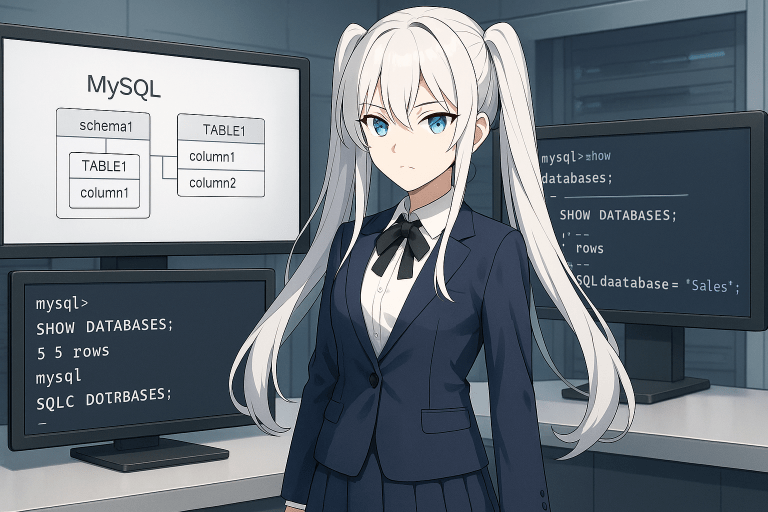
However, in MySQL, the terms “schema” and “database” are treated as almost identical. The official MySQL documentation clearly states that “schema = database,” and the two are used interchangeably. For example, when creating a schema, you use the CREATE DATABASE command.
In other RDBMS systems such as Oracle and PostgreSQL, “schema” and “database” are clearly distinguished:
- Oracle : A schema is a collection of objects managed per user. The database is the physical container, and multiple schemas exist within it.
- PostgreSQL : A single database can contain multiple schemas (namespaces), allowing classification and management of tables and views.
In contrast, in MySQL, “database” = “schema”. Regardless of which term is used in explanations, the actual operations and management methods remain the same. Therefore, “checking schemas” in MySQL essentially means “checking databases.”
In English documentation, both “schema” and “database” appear, and MySQL manuals sometimes use them interchangeably. In practice, when you see “schema” in MySQL documentation, you can interpret it as meaning “database.”
By properly understanding MySQL-specific terminology usage, you can avoid confusion when managing systems or referencing technical documentation. Starting from the next section, we will clearly explain how to check schemas (databases) in MySQL step by step.
[Basics] How to Check MySQL Schemas (List, Switch, Tables)
To understand the contents of a “schema (database)” in MySQL, it is important to know the basic commands and procedures. In this section, we carefully explain common operations—from listing schemas to checking tables and column information. Even beginners can follow along.
Listing Schemas (Databases)
In MySQL, you can create multiple databases (schemas) on a server.
To view a list of them, use the following command:
SHOW DATABASES;
When executed, this command displays the names of all schemas (databases) on the server. In some environments, you may also use SHOW SCHEMATA;, which produces the same result as SHOW DATABASES;. If you are concerned about version differences, consult the official manual.
Switching the Active Schema
To operate on a specific schema (database), you must first select it.
To switch schemas, use:
USE database_name;
For example, to use a schema named sample_db, enter:
USE sample_db;
All subsequent operations will apply to this selected schema (database).
Checking Table and Column Structures
Each schema contains multiple tables.
To list them, use:
SHOW TABLES;
This command displays all table names in the currently selected schema.
To inspect the structure of a specific table (column names, data types, NULL settings, etc.), use one of the following:
DESCRIBE table_name;
or
SHOW COLUMNS FROM table_name;
Both commands return nearly identical results. For example, to check the column structure of the users table, enter:
DESCRIBE users;
Checking Schema Detailed Settings
If you want to review schema-specific settings such as character set and collation, use:
SHOW CREATE DATABASE database_name;
This command outputs the SQL statement used to create the schema (database). It is particularly useful for verifying character encoding and collation settings to prevent configuration-related issues.
Key Points
- All basic inspection tasks can be performed using standard MySQL commands.
- The results are displayed directly in the terminal (command line), allowing you to proceed efficiently.
- Most tasks can also be performed using GUI tools such as MySQL Workbench or phpMyAdmin, but CLI commands are often more reliable when troubleshooting.
The commands introduced in this section are fundamental knowledge for anyone who works with MySQL regularly.
[Advanced] Retrieving Detailed Information Using INFORMATION_SCHEMA
While basic MySQL commands allow you to check schema and table structures, more detailed information or bulk extraction is best handled using INFORMATION_SCHEMA. INFORMATION_SCHEMA is a system database that allows you to reference metadata managed internally by the MySQL server as standard SQL tables.
Because it enables flexible SQL-based retrieval of necessary information, it is highly useful for automation and reporting.
What Is INFORMATION_SCHEMA?
INFORMATION_SCHEMA is one of the system databases included by default in MySQL.
It contains tables such as “SCHEMATA,” “TABLES,” and “COLUMNS,” which store metadata about databases (schemas), tables, and columns.
You can query these tables using standard SELECT statements to extract internal configuration and structural details.
Main Use Cases:
- Retrieve detailed schema and table information
- Check data types, constraints, and default values
- Perform flexible extraction with filters and aggregation
Retrieving Schema Information
To retrieve a list and attributes of all schemas (databases):
SELECT * FROM INFORMATION_SCHEMA.SCHEMATA;
This query returns schema names (SCHEMA_NAME), default character sets (DEFAULT_CHARACTER_SET_NAME), collations (DEFAULT_COLLATION_NAME), and other configuration details.
Retrieving Table and Column Information
To retrieve detailed table or column information in bulk, use the “TABLES” and “COLUMNS” tables.
Example: Retrieve all table information within a schema
SELECT * FROM INFORMATION_SCHEMA.TABLES
WHERE TABLE_SCHEMA = 'target_schema_name';
Example: Retrieve detailed column information
SELECT * FROM INFORMATION_SCHEMA.COLUMNS
WHERE TABLE_SCHEMA = 'target_schema_name'
  AND TABLE_NAME = 'target_table_name';
This provides column names (COLUMN_NAME), data types (DATA_TYPE), NULL settings (IS_NULLABLE), default values (COLUMN_DEFAULT), and maximum lengths (CHARACTER_MAXIMUM_LENGTH).
Practical Filtering Examples
INFORMATION_SCHEMA allows flexible filtering using WHERE clauses.
Example 1: Extract all INT-type columns within a schema
SELECT TABLE_NAME, COLUMN_NAME
FROM INFORMATION_SCHEMA.COLUMNS
WHERE TABLE_SCHEMA = 'target_schema_name'
  AND DATA_TYPE = 'int';
Example 2: Find tables using a specific collation
SELECT TABLE_NAME
FROM INFORMATION_SCHEMA.TABLES
WHERE TABLE_SCHEMA = 'target_schema_name'
  AND TABLE_COLLATION LIKE 'utf8mb4%';
Using INFORMATION_SCHEMA enables flexible SQL-based extraction and analysis of MySQL’s internal structure.
[Expert] Using InnoDB Metadata and the sys Schema (MySQL 8.0+)
Once you are comfortable retrieving schema and table information, you can move on to advanced management and performance analysis. Particularly when using the InnoDB storage engine or operating large-scale systems, INFORMATION_SCHEMA’s InnoDB tables and the sys schema are extremely useful.
InnoDB Engine Metadata
InnoDB is MySQL’s default storage engine and supports transactions, row-level locking, and foreign key constraints.
Useful InnoDB-related tables include:
INNODB_TABLES: Basic information on InnoDB-managed tablesINNODB_COLUMNS: Column informationINNODB_INDEXES: Index detailsINNODB_LOCKS: Current lock informationINNODB_TRX: Active transactions
Example: Check current lock status
SELECT * FROM INFORMATION_SCHEMA.INNODB_LOCKS;
Using the sys Schema
Available by default in MySQL 5.7 and later (especially 8.0+), the sys schema provides human-friendly summarized views of INFORMATION_SCHEMA and performance schema data.
Commonly used views:
sys.schema_table_statistics: Table access statisticssys.schema_index_statistics: Index usage statisticssys.innodb_lock_waits: Lock wait informationsys.user_summary: User activity summaries
Example: Check current lock waits
SELECT * FROM sys.innodb_lock_waits;
Example: Check read/write statistics for all tables
SELECT * FROM sys.schema_table_statistics;
Summary
INFORMATION_SCHEMA and the sys schema are powerful tools that visualize MySQL’s internal state through SQL.
They are especially valuable in production environments using InnoDB or aiming for advanced operations and performance optimization.
[Quick Reference by Use Case] Recommended Commands
When checking schemas or table structures in MySQL, choosing the right command for your goal is key to efficiency. The table below summarizes commonly used commands by purpose.
| Purpose | Command / SQL Example | Notes |
|---|---|---|
| List all schemas on the server | SHOW DATABASES; | Most basic command |
| List tables in the selected schema | SHOW TABLES; | Displays tables in current schema |
| Retrieve all table info in a schema | SELECT * FROM INFORMATION_SCHEMA.TABLES WHERE TABLE_SCHEMA = 'schema_name'; | Includes table attributes |
| Quickly check column definitions | DESCRIBE table_name;SHOW COLUMNS FROM table_name; | Shows column names and types |
| Retrieve detailed column info | SELECT * FROM INFORMATION_SCHEMA.COLUMNS WHERE TABLE_SCHEMA = 'schema_name' AND TABLE_NAME = 'table_name'; | Includes NULL and default values |
| Check schema creation settings | SHOW CREATE DATABASE schema_name; | Includes COLLATE and CHARSET |
| Check table creation details | SHOW CREATE TABLE table_name; | Includes indexes and foreign keys |
| Check InnoDB locks and transactions | SELECT * FROM INFORMATION_SCHEMA.INNODB_LOCKS;SELECT * FROM sys.innodb_lock_waits; | Useful for InnoDB |
| Check table/index access statistics | SELECT * FROM sys.schema_table_statistics;SELECT * FROM sys.schema_index_statistics; | Uses sys schema |
| Check user privileges | SHOW GRANTS FOR 'username'@'hostname'; | Verify user permissions |
[Troubleshooting and Error Handling]
When attempting to inspect schemas or tables in MySQL, you may encounter issues such as commands not executing or information not displaying.
Permission Errors (Access Denied)
Example errors:
ERROR 1044 (42000): Access denied for user 'user'@'host' to database 'mysql'
ERROR 1142 (42000): SHOW command denied to user 'user'@'host' for table 'database'
Solutions:
- Log in with an administrative account.
- Request necessary SHOW or SELECT privileges.
GRANT SHOW DATABASES ON *.* TO 'user'@'host';
FLUSH PRIVILEGES;
Check current privileges:
SHOW GRANTS FOR 'user'@'host';
Database or Table Not Found
Example:
ERROR 1049 (42000): Unknown database 'db_name'
ERROR 1146 (42S02): Table 'db_name.table_name' doesn't exist
Check for typos, case sensitivity, and verify existence with:
SHOW DATABASES;
SHOW TABLES;
Version Differences
Some features depend on MySQL version.
Check version:
SELECT VERSION();
Other Issues
- Connection failures due to network/server issues
- Query timeouts — optimize queries or adjust timeout settings
FAQ (Frequently Asked Questions)
Q1. How does a MySQL schema differ from schemas in Oracle or PostgreSQL?
A. In MySQL, schema = database. In Oracle and PostgreSQL, schemas and databases are separate concepts.
Q2. What is the most efficient way to retrieve detailed column information?
A.
SELECT * FROM INFORMATION_SCHEMA.COLUMNS
WHERE TABLE_SCHEMA = 'database_name';
Q3. How can I check character set or collation?
A. Use:
SHOW CREATE DATABASE database_name;
SHOW CREATE TABLE table_name;
Q4. I do not have permission to view information. What should I do?
A. Request appropriate privileges. Check your current permissions:
SHOW GRANTS FOR 'username'@'hostname';
Q5. How do I check schema information in GUI tools?
A. In MySQL Workbench or phpMyAdmin, schemas appear in the left navigation panel. You can also run SQL commands in the SQL tab.
Conclusion and Related Links
Summary
- In MySQL, schema = database.
- Basic checks can be performed with
SHOW DATABASES;,SHOW TABLES;, andDESCRIBE table_name;. - INFORMATION_SCHEMA and sys schema provide deeper insights and performance visibility.
- Most issues stem from permissions, naming mistakes, or version differences.
- Keep quick reference commands available for efficient operations.
Related Links
Afterword
We hope this guide helps you better manage MySQL schemas and tables in daily operations. Continue updating your knowledge as new MySQL versions and operational needs evolve.