
- 1 1. What Is Java wait()? (Understand the Core Idea Fast)
- 2 2. Correct Usage of wait() (Understand with Code Examples)
- 3 3. The Difference Between wait and sleep (The Core Search Intent)
- 4 4. Advanced wait Knowledge (Must-Know for Safe Usage)
- 5 5. Common Errors and How to Fix Them
- 6 6. Modern Alternatives in Java (Practical Perspective)
- 7 7. Summary (Final Notes for Beginners)
- 8 FAQ
- 8.1 Q1. Is wait a method of the Thread class?
- 8.2 Q2. Can I use wait without synchronized?
- 8.3 Q3. Which should I use: notify or notifyAll?
- 8.4 Q4. Can wait be used with a timeout?
- 8.5 Q5. Why use while instead of if?
- 8.6 Q6. Is wait commonly used in modern production code?
- 8.7 Q7. Can I replace it with sleep?
1. What Is Java wait()? (Understand the Core Idea Fast)
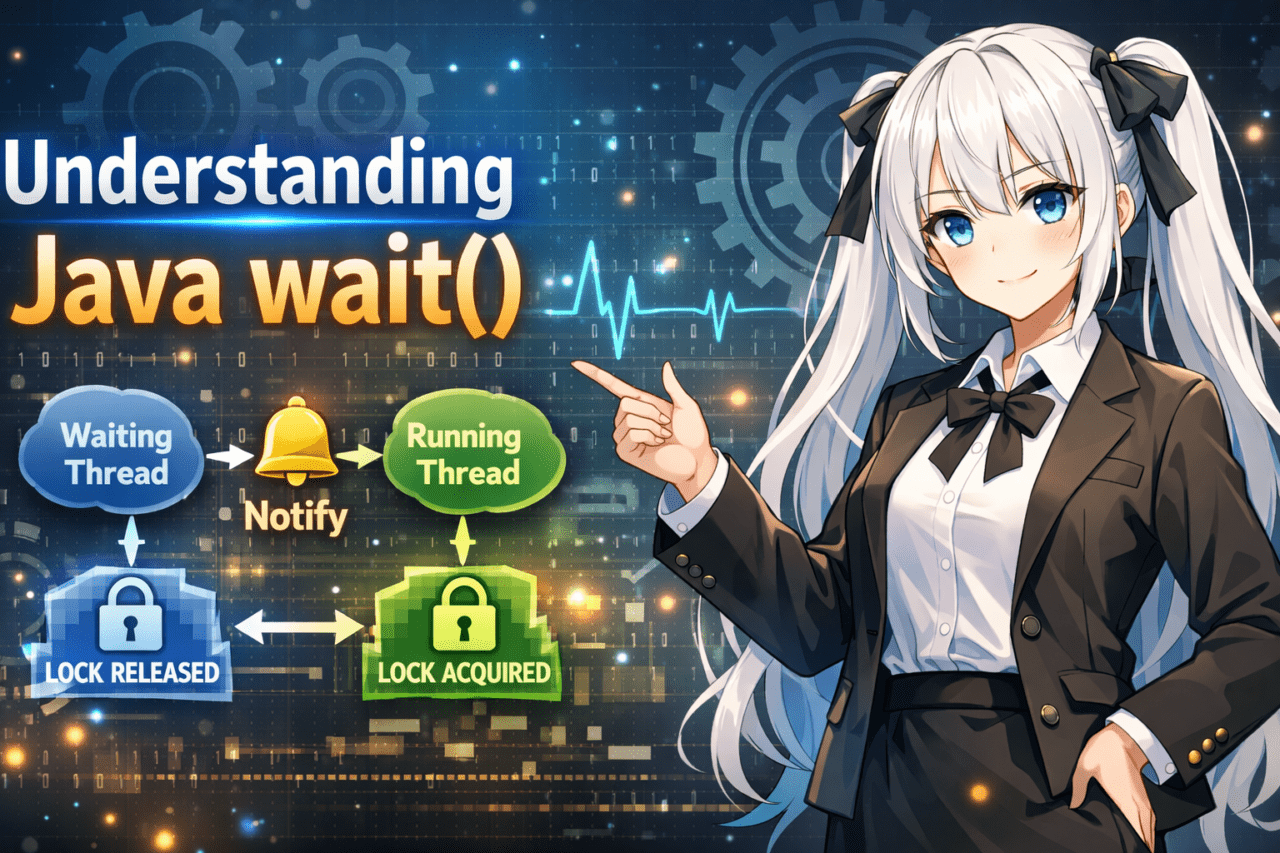
java wait refers to a method used to temporarily pause a thread (a flow of execution) and wait for a notification from another thread.
It’s used in multithreading (running multiple tasks concurrently) to perform coordinated control between threads.
The key point is that wait() is not “just waiting for time to pass.”
Until another thread calls notify() or notifyAll(), the target thread remains in the waiting state (WAITING).
1.1 The Basic Meaning of wait()
The essence of wait() comes down to these three points:
- Put the current thread into a waiting state
- Temporarily release the lock of the target object
- Resume when notified by another thread
Conceptual flow:
- Enter a
synchronizedblock - Call
wait() - Release the lock and enter the waiting state
- Another thread calls
notify() - Re‑acquire the lock, then resume execution
Simple syntax example:
synchronized(obj) {
    obj.wait();
}
⚠ Note
wait()is not “pause for a fixed time,” but “wait for a notification.”- If no one notifies, it can wait forever.
1.2 wait() Is a Method of Object
wait() is not a method of Thread.
It’s a method of Object.
Definition (concept):
public final void wait()
In other words:
- Every Java object has
wait() - You wait based on the object you’re monitoring
Common misconceptions:
❌ Thinking it’s Thread.wait()
❌ Thinking it directly “stops a thread”
Correct understanding:
✔ “Wait on an object’s monitor (monitor lock)”
*Monitor = the lock managed by synchronized.
1.3 Mandatory Requirement to Use wait()
To use wait(), you must call it inside a synchronized block.
Why:
wait()releases the lock that you currently hold- If you don’t hold the lock, consistency cannot be guaranteed
Incorrect example:
Object obj = new Object();
obj.wait();   // ❌ IllegalMonitorStateException
Correct example:
Object obj = new Object();

synchronized(obj) {
    obj.wait();
}
Exception thrown:
IllegalMonitorStateException
This means “wait() was called without holding the lock.”
⚠ Where Beginners Often Get Stuck
- Confusing it with
sleep()(sleep does not release the lock) - Forgetting to write
synchronized - Never calling
notify, so it stops forever - Calling
notifyon a different object
✔ Most Important Summary So Far
wait()is a method ofObject- It can only be used inside
synchronized - It releases the lock and waits for a notification
- It is not a simple “time delay”
2. Correct Usage of wait() (Understand with Code Examples)
wait() does not make sense by itself.
It only works when combined with notify / notifyAll.
In this chapter, we’ll explain it step‑by‑step, from the minimum setup to practical patterns.
2.1 Basic Syntax
The smallest correct structure looks like this:
Object lock = new Object();

synchronized(lock) {
    lock.wait();
}
However, this will stop forever as‑is.
Reason: there is no notification (notify).
2.2 Example with notify (Most Important)
wait() means “wait for a notification.”
Therefore, another thread must call notify.
✔ Minimal Working Example
class Example {
    private static final Object lock = new Object();

    public static void main(String[] args) {

        Thread waitingThread = new Thread(() -> {
            synchronized(lock) {
                try {
                    System.out.println("Waiting...");
                    lock.wait();
                    System.out.println("Resumed.");
                } catch (InterruptedException e) {
                    e.printStackTrace();
                }
            }
        });

        Thread notifyingThread = new Thread(() -> {
            synchronized(lock) {
                System.out.println("Notifying...");
                lock.notify();
            }
        });

        waitingThread.start();
        notifyingThread.start();
    }
}
Execution Flow
waitingThreadacquireslock- It calls
wait(), releases the lock, and waits notifyingThreadacquireslock- It calls
notify()to signal the waiting thread - After re-acquiring the lock, execution resumes
2.3 Difference Between notify and notifyAll
| Method | Behavior |
|---|---|
| notify() | Resumes only one waiting thread |
| notifyAll() | Resumes all waiting threads |
In real-world code, notifyAll() is often considered safer.
Why:
- With
notify(), a thread that should not resume might be selected - When multiple conditions exist, inconsistencies become more likely
2.4 The Correct Practical Pattern (Use while)
wait() is typically used together with a condition check.
synchronized(lock) {
    while (!condition) {
        lock.wait();
    }
}
Why:
- Spurious wakeups (resuming without notification) can happen
- After
notifyAll, the condition may still not be satisfied
❌ Incorrect example:
if (!condition) {
    lock.wait();
}
This is not safe.
⚠ Common Mistakes
- Calling
waitandnotifyon different objects - Assuming it resumes immediately after
notify(it must re-acquire the lock) - Calling
notifyoutsidesynchronized - Forgetting to update the condition variable
✔ Implementation Steps Summary
- Create a shared lock object
- Wrap with
synchronized - Check the condition with
while - Wait with
wait() - Notify from another thread using
notify/notifyAll - Always update the condition
3. The Difference Between wait and sleep (The Core Search Intent)
Many users who search for “java wait” want to understand how it differs from sleep().
They may look similar, but their design philosophy and use cases are completely different.
3.1 The Decisive Differences (Comparison Table)
| Item | wait | sleep |
|---|---|---|
| Defined in | Object | Thread |
| Releases lock | Yes | No |
| Where to use | Must be inside synchronized | Can be used anywhere |
| Purpose | Inter-thread communication | Simple time delay |
3.2 The Biggest Difference: “Does It Release the Lock?”
✔ How wait Behaves
- Releases the lock currently held
- Allows other threads to acquire the lock
- Resumes via
notifysynchronized(lock) { lock.wait(); }
✔ How sleep Behaves
- Stops while still holding the lock
- Other threads cannot acquire the lock
Thread.sleep(1000);
⚠ This is the most important point
sleep = “wait for time”
wait = “wait for a notification”
3.3 How to Choose in Real-World Work
✔ When to Use wait
- Producer/Consumer patterns
- Waiting for data to arrive
- Waiting for a state change
- Coordinated control between threads
✔ When to Use sleep
- Simple delay processing
- Adjusting retry intervals
- Waiting in test code
3.4 Using wait with a Timeout
wait can also be called with a timeout.
lock.wait(1000); // Wait up to 1 second
But note:
- It may return after the timeout, but there is no guarantee the condition is satisfied
- You must re-check the condition using
while
⚠ Points That Confuse Beginners
- Thinking
sleepresumes via notification → ❌ - Thinking
waitalways resumes after time → ❌ - Thinking locks are released during
sleep→ ❌
✔ Conclusion
sleepis just a time delaywaitis a mechanism for inter-thread communication- The biggest difference is whether the lock is released
4. Advanced wait Knowledge (Must-Know for Safe Usage)
wait looks simple, but misuse can easily cause bugs.
Here we’ll explain the essential knowledge needed to implement it safely.
4.1 wait with a Timeout
wait has a timed version.
synchronized(lock) {
lock.wait(1000); // Wait up to 1 second
}
Behavior:
- Waits up to the specified time
- Returns immediately if notified
- May also return when the time expires
⚠ Important
Even if it returns due to timeout, it does not mean “the condition is true.”
Always combine it with a condition check.
4.2 What Is a Spurious Wakeup?
A spurious wakeup (Spurious Wakeup) is a phenomenon where
wait may return even without a notification.
The Java specification allows this to happen.
That means:
- No one called
notify - The condition hasn’t changed
- Yet it may still return
That’s why using while instead of if is mandatory. 
4.3 The Correct Pattern (Wrap with while)
Correct implementation example:
synchronized(lock) {
while (!condition) {
lock.wait();
}
// Code after the condition becomes true
}
Why:
- Protection against spurious wakeups
- The condition may still be false after
notifyAll - Safety when multiple threads are waiting
❌ Dangerous example:
synchronized(lock) {
if (!condition) {
lock.wait(); // Dangerous
}
}
This style can lead to incorrect behavior.
4.4 Relationship with Deadlocks
wait releases a lock, but
deadlocks can still happen when multiple locks are involved.
Example:
- Thread A → lock1 → lock2
- Thread B → lock2 → lock1
Mitigations:
- Use a consistent lock acquisition order
- Minimize the number of locks
⚠ Common Critical Mistakes
- Not updating the condition variable
- Calling
notifywithout changing state - Nesting
synchronizedtoo much - Not keeping lock order consistent across multiple locks
✔ Advanced Summary
- Wrapping
waitwithwhileis an absolute rule - Even with timeouts, you must re‑check the condition
- Poor lock design can cause deadlocks
5. Common Errors and How to Fix Them
wait is a low‑level API, so implementation mistakes directly cause bugs.
Here we’ll summarize common errors, their causes, and how to fix them.
5.1 IllegalMonitorStateException
This is the most common error.
When it happens:
- Calling
waitoutsidesynchronized - Calling
notifyoutsidesynchronized
❌ Incorrect example
Object lock = new Object();
lock.wait(); // Exception thrown
✔ Correct example
synchronized(lock) {
    lock.wait();
}
Fix summary:
- Always call
wait/notifyinsidesynchronizedon the same object - Use one consistent lock object
5.2 It Doesn’t Resume Even After notify
Common causes:
- Calling
notifyon a different object - The condition variable isn’t updated
- Holding the lock too long after
notify
❌ Typical mistake
synchronized(lock1) {
lock1.wait();
}
synchronized(lock2) {
lock2.notify(); // Different object
}
✔ Always use the same object
synchronized(lock) {
    lock.wait();
}
synchronized(lock) {
condition = true;
lock.notifyAll();
}
5.3 wait Never Ends
Main causes:
notifyis never called- Incorrect condition‑check logic
- The
whilecondition stays true forever
Debug steps:
- Confirm that
notifyis definitely being called - Confirm that the condition variable is being updated
- Use logs to trace thread execution order
5.4 Deadlocks
Typical pattern:
synchronized(lock1) {
    synchronized(lock2) {
        ...
    }
}
If another thread acquires locks in the opposite order, the program can freeze.
Mitigations:
- Use a consistent lock acquisition order
- Use a single lock if possible
- Consider using
java.util.concurrent
5.5 Handling InterruptedException
wait throws InterruptedException.
try {
    lock.wait();
} catch (InterruptedException e) {
    Thread.currentThread().interrupt();
}
Recommended handling:
- Restore the interrupt flag (re‑interrupt)
- Don’t swallow the exception
⚠ Very Common Mistakes in Practice
- Wrapping
waitwithif - Calling
notifybefore updating the condition - Managing multiple locks ambiguously
- Using an empty
catchblock
✔ Core Rules to Avoid Errors
synchronizedis required- Use the same lock object consistently
- Always use the
whilepattern - Update state before calling
notify - Handle interrupts properly
6. Modern Alternatives in Java (Practical Perspective)
wait / notify are low‑level thread coordination tools that have existed since early Java.
In modern real‑world development, it’s common to use safer, higher‑level APIs instead.
In this chapter, we’ll summarize why alternatives are recommended.
6.1 wait/notify Are Low‑Level APIs
When you use wait, you must manually manage everything yourself.
Things you must manage:
- Lock control
- Condition variables
- Notification order
- Protection against spurious wakeups
- Deadlock avoidance
- Interrupt handling
In other words, it’s a design that easily becomes a breeding ground for bugs.
It becomes dramatically more complex when multiple conditions and multiple threads are involved.
6.2 Common Alternative Classes
Since Java 5, the java.util.concurrent package has been available.
✔ BlockingQueue
For passing data between threads.
BlockingQueue<String> queue = new LinkedBlockingQueue<>();

queue.put("data");   // Waiting is handled automatically
queue.take();        // Waits until data arrives
Characteristics:
- No need for
wait/notify - Less likely to cause deadlocks
- Very commonly used in real‑world systems
✔ CountDownLatch
Waits for multiple threads to complete.
CountDownLatch latch = new CountDownLatch(1);

latch.await();   // Wait
latch.countDown();  // Signal
Use cases:
- Waiting for initialization to complete
- Synchronizing parallel tasks
✔ ReentrantLock + Condition
An API that provides a mechanism similar to wait, but more explicitly.
ReentrantLock lock = new ReentrantLock();
Condition condition = lock.newCondition();

lock.lock();
try {
    condition.await();
} finally {
    lock.unlock();
}
Benefits:
- Can manage multiple conditions
- More flexible lock control
6.3 What Should You Use in Practice?
Recommendations by scenario:
| Goal | Recommended Tool |
|---|---|
| Passing data | BlockingQueue |
| Simple synchronization | CountDownLatch |
| Complex condition control | ReentrantLock + Condition |
| Learning | Understanding wait is essential |
Conclusion:
- It’s important to understand
waitwhile learning - In practice, prefer the
concurrentpackage
⚠ Practical Decision Criteria
- Do you really need to implement thread coordination yourself?
- Can the standard library solve it instead?
- Can you ensure readability and maintainability?
In many cases, you can solve the problem without using wait.
✔ Chapter Summary
waitis a low‑level API- The
concurrentpackage is the modern standard - Prioritize safety in real‑world code
7. Summary (Final Notes for Beginners)
java wait is a mechanism used to wait for state changes between threads.
The most important point is that it’s not a simple time delay, but a “notification‑based control mechanism.”
Let’s summarize what we covered from an implementation perspective.
7.1 The Essence of wait
- A method of
Object - Can only be used inside
synchronized - Releases the lock and waits when called
- Resumes via
notify/notifyAll
7.2 Three Rules for Writing Safe Code
1) Always use synchronized
2) Wrap with while
3) Update state before calling notify
Correct template:
synchronized(lock) {
    while (!condition) {
        lock.wait();
    }
}
Notifier side:
synchronized(lock) {
    condition = true;
    lock.notifyAll();
}
7.3 The Decisive Difference from sleep
| Item | wait | sleep |
|---|---|---|
| Releases lock | Yes | No |
| Use case | Inter-thread communication | Time delay |
It’s important not to confuse them.
7.4 Where It Fits in Real‑World Development
- Understanding it is essential
- But in practice, prioritize the
concurrentpackage - Design custom
wait‑based control very carefully
7.5 Final Checklist
- Are you using the same lock object?
- Are you calling it inside
synchronized? - Is it wrapped with
while? - Do you update state before
notify? - Are you handling interrupts properly?
If you follow these, you can reduce the risk of serious bugs significantly.
FAQ
Q1. Is wait a method of the Thread class?
No. It is a method of the Object class.
Q2. Can I use wait without synchronized?
No. It will throw IllegalMonitorStateException.
Q3. Which should I use: notify or notifyAll?
If you prioritize safety, notifyAll is recommended.
Q4. Can wait be used with a timeout?
Yes. Use wait(long millis).
Q5. Why use while instead of if?
To protect against spurious wakeups and returning before the condition is satisfied.
Q6. Is wait commonly used in modern production code?
In recent years, using java.util.concurrent has become the mainstream approach.
Q7. Can I replace it with sleep?
No. sleep does not release the lock.