
- 1 1. Java wait() 是什么?(快速理解核心概念)
- 2 2. wait() 的正确用法(通过代码示例理解)
- 3 3. The Difference Between wait and sleep (The Core Search Intent)
- 4 4. Advanced wait Knowledge (Must-Know for Safe Usage)
- 5 5. 常见错误及其修复方法
- 6 6. Java 中的现代替代方案(实用视角)
- 7 7. 总结(给初学者的最终提示)
- 8 常见问题
1. Java wait() 是什么?(快速理解核心概念)
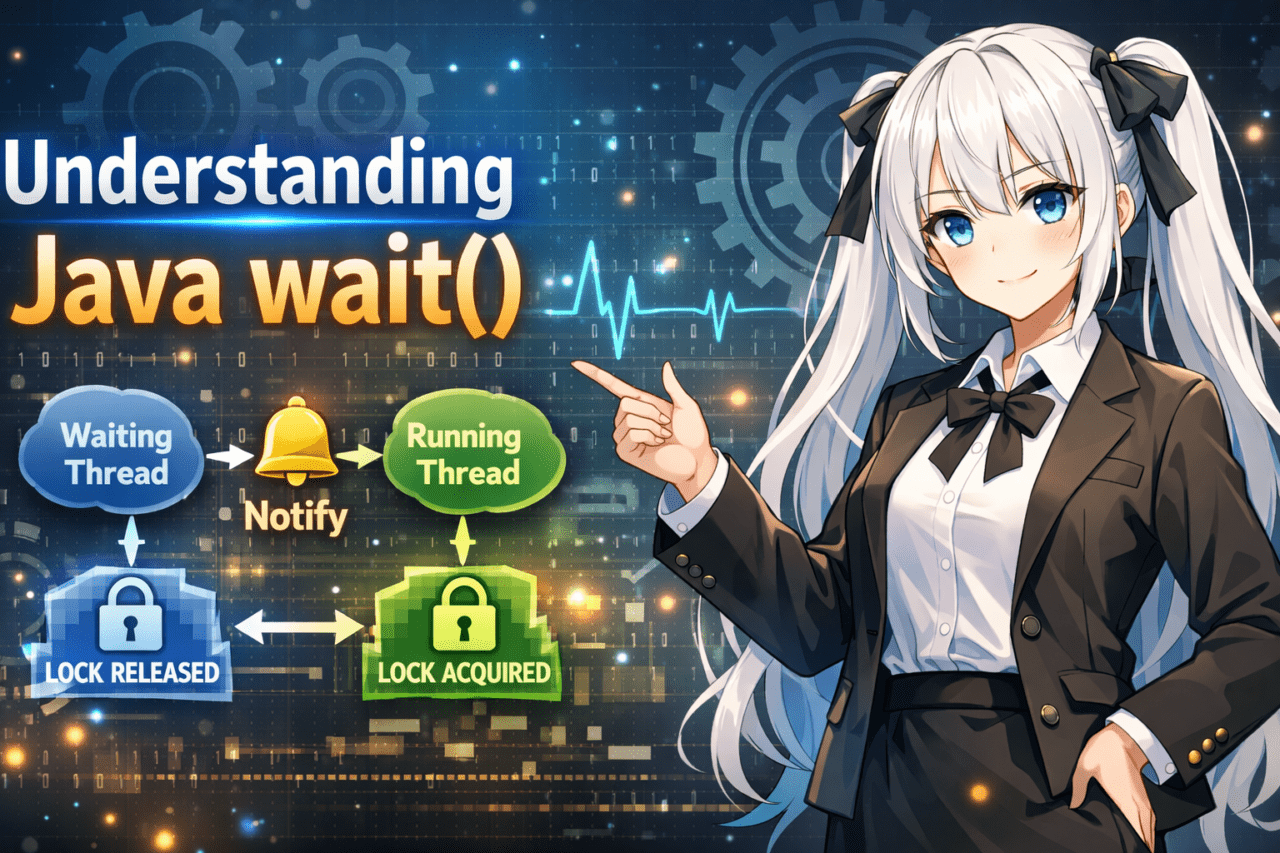
java wait 指的是 一种用于临时暂停线程(执行流)并等待另一个线程通知的方法。
它用于多线程(并发运行多个任务)中执行 线程之间的协调控制。
关键点是 wait() 不是“只是等待时间流逝”。
直到另一个线程调用 notify() 或 notifyAll(),目标线程才会保持在等待状态(WAITING)。
1.1 wait() 的基本含义
wait() 的本质归结为这三点:
- 将当前线程置于等待状态
- 临时释放目标对象的锁
- 当收到另一个线程的通知时恢复
概念流程:
- 进入
synchronized块 - 调用
wait() - 释放锁并进入等待状态
- 另一个线程调用
notify() - 重新获取锁,然后恢复执行
简单语法示例:
synchronized(obj) {
    obj.wait();
}
⚠ 注意
wait()不是“暂停固定时间”,而是“等待通知”。- 如果没有人通知,它可能会永远等待。
1.2 wait() 是 Object 的方法
wait() 不是 Thread 的方法。
它是 Object 的方法。
定义(概念):
public final void wait()
换句话说:
- 每个 Java 对象都有
wait() - 你基于正在监控的对象进行等待
常见误解:
❌ 认为它是 Thread.wait()
❌ 认为它直接“停止线程”
正确理解:
✔ “在对象的监视器(监视锁)上等待”
*Monitor = 由 synchronized 管理的锁。
1.3 使用 wait() 的强制要求
要使用 wait(),必须在 synchronized 块内调用它。
原因:
wait()会释放你当前持有的锁- 如果你不持有锁,就无法保证一致性
不正确示例:
Object obj = new Object();
obj.wait();   // ❌ IllegalMonitorStateException
正确示例:
Object obj = new Object();

synchronized(obj) {
    obj.wait();
}
抛出的异常:
IllegalMonitorStateException
这意味着“在未持有锁的情况下调用了 wait()。”
⚠ 初学者常卡住的地方
- 将其与
sleep()混淆(sleep 不释放锁) - 忘记写
synchronized - 从不调用
notify,导致永远停止 - 在不同的对象上调用
notify
✔ 到目前为止最重要的总结
wait()是Object的方法- 它只能在
synchronized内使用 - 它释放锁并等待通知
- 它不是简单的“时间延迟”
2. wait() 的正确用法(通过代码示例理解)
wait() 单独使用没有意义。
它只有与 notify / notifyAll 结合时才有效。
在本章中,我们将逐步解释,从最小设置到实际模式。
2.1 基本语法
最小的正确结构如下所示:
Object lock = new Object();

synchronized(lock) {
    lock.wait();
}
但是,这样会永远停止。
原因:没有通知(notify)。
2.2 带 notify 的示例(最重要的)
wait() 的意思是“等待通知”。
因此,另一个线程必须调用 notify。
✔ 最小工作示例
class Example {
    private static final Object lock = new Object();

    public static void main(String[] args) {

        Thread waitingThread = new Thread(() -> {
            synchronized(lock) {
                try {
                    System.out.println("Waiting...");
                    lock.wait();
                    System.out.println("Resumed.");
                } catch (InterruptedException e) {
                    e.printStackTrace();
                }
            }
        });

        Thread notifyingThread = new Thread(() -> {
            synchronized(lock) {
                System.out.println("Notifying...");
                lock.notify();
            }
        });

        waitingThread.start();
        notifyingThread.start();
    }
}
Execution Flow
waitingThreadacquireslock- It calls
wait(), releases the lock, and waits notifyingThreadacquireslock- It calls
notify()to signal the waiting thread - After re-acquiring the lock, execution resumes
2.3 Difference Between notify and notifyAll
| Method | Behavior |
|---|---|
| notify() | Resumes only one waiting thread |
| notifyAll() | Resumes all waiting threads |
In real-world code, notifyAll() is often considered safer.
Why:
- With
notify(), a thread that should not resume might be selected - When multiple conditions exist, inconsistencies become more likely
2.4 The Correct Practical Pattern (Use while)
wait() is typically used together with a condition check.
synchronized(lock) {
    while (!condition) {
        lock.wait();
    }
}
Why:
- Spurious wakeups (resuming without notification) can happen
- After
notifyAll, the condition may still not be satisfied
❌ Incorrect example:
if (!condition) {
    lock.wait();
}
This is not safe.
⚠ Common Mistakes
- Calling
waitandnotifyon different objects - Assuming it resumes immediately after
notify(it must re-acquire the lock) - Calling
notifyoutsidesynchronized - Forgetting to update the condition variable
✔ Implementation Steps Summary
- Create a shared lock object
- Wrap with
synchronized - Check the condition with
while - Wait with
wait() - Notify from another thread using
notify/notifyAll - Always update the condition
3. The Difference Between wait and sleep (The Core Search Intent)
Many users who search for “java wait” want to understand how it differs from sleep().
They may look similar, but their design philosophy and use cases are completely different.
3.1 The Decisive Differences (Comparison Table)
| Item | wait | sleep |
|---|---|---|
| Defined in | Object | Thread |
| Releases lock | Yes | No |
| Where to use | Must be inside synchronized | Can be used anywhere |
| Purpose | Inter-thread communication | Simple time delay |
3.2 The Biggest Difference: “Does It Release the Lock?”
✔ How wait Behaves
- Releases the lock currently held
- Allows other threads to acquire the lock
- Resumes via
notifysynchronized(lock) { lock.wait(); }
✔ How sleep Behaves
- Stops while still holding the lock
- Other threads cannot acquire the lock
Thread.sleep(1000);
⚠ This is the most important point
sleep = “wait for time”
wait = “wait for a notification”
3.3 How to Choose in Real-World Work
✔ When to Use wait
- Producer/Consumer patterns
- Waiting for data to arrive
- Waiting for a state change
- Coordinated control between threads
✔ When to Use sleep
- Simple delay processing
- Adjusting retry intervals
- Waiting in test code
3.4 Using wait with a Timeout
wait can also be called with a timeout.
lock.wait(1000); // Wait up to 1 second
But note:
- It may return after the timeout, but there is no guarantee the condition is satisfied
- You must re-check the condition using
while
⚠ Points That Confuse Beginners
- Thinking
sleepresumes via notification → ❌ - Thinking
waitalways resumes after time → ❌ - Thinking locks are released during
sleep→ ❌
✔ Conclusion
sleepis just a time delaywaitis a mechanism for inter-thread communication- The biggest difference is whether the lock is released
4. Advanced wait Knowledge (Must-Know for Safe Usage)
wait looks simple, but misuse can easily cause bugs.
Here we’ll explain the essential knowledge needed to implement it safely.
4.1 wait with a Timeout
wait has a timed version.
synchronized(lock) {
lock.wait(1000); // Wait up to 1 second
}
Behavior:
- Waits up to the specified time
- Returns immediately if notified
- May also return when the time expires
⚠ 重要
即使因超时而返回,也不意味着“条件为真”。
始终将其与条件检查结合使用。
4.2 什么是伪唤醒?
伪唤醒(Spurious Wakeup)是一种现象,即
wait 可能在没有通知的情况下返回。
Java 规范允许出现这种情况。
这意味着:
- 没有人调用
notify - 条件没有改变
- 但它仍可能返回
这就是为什么必须使用 while 而不是 if。
4.3 正确的模式(用 while 包装)
正确实现示例:
synchronized(lock) {
while (!condition) {
lock.wait();
}
// Code after the condition becomes true
}
为什么:
- 防止伪唤醒
- 在
notifyAll之后条件仍可能为假 - 多线程等待时的安全性
❌ 危险示例:
synchronized(lock) {
if (!condition) {
lock.wait(); // Dangerous
}
}
这种写法可能导致行为错误。
4.4 与死锁的关系
wait 会释放锁,但
当涉及多个锁时仍可能出现死锁。
示例:
- 线程 A → lock1 → lock2
- 线程 B → lock2 → lock1
缓解措施:
- 使用一致的锁获取顺序
- 最小化锁的数量
⚠ 常见关键错误
- 未更新条件变量
- 在状态未改变时调用
notify - 过度嵌套
synchronized - 在多个锁之间未保持锁顺序一致
✔ 高级总结
- 用
while包装wait是绝对规则 - 即使有超时,也必须重新检查条件
- 锁设计不佳会导致死锁
5. 常见错误及其修复方法
wait 是底层 API,实现错误会直接导致 bug。
这里我们将总结常见错误、其原因以及如何修复。
5.1 IllegalMonitorStateException
这是最常见的错误。
当它发生时:
- 在
synchronized之外调用wait - 在
synchronized之外调用notify
❌ 错误示例
Object lock = new Object();
lock.wait(); // Exception thrown
✔ 正确示例
synchronized(lock) {
    lock.wait();
}
修复要点:
- 始终在同一对象的
synchronized块中调用wait/notify - 使用统一的锁对象
5.2 即使 notify 后仍未恢复
常见原因:
- 在不同对象上调用
notify - 条件变量未更新
notify后持有锁时间过长
❌ 典型错误
synchronized(lock1) {
lock1.wait();
}
synchronized(lock2) {
lock2.notify(); // Different object
}
✔ 始终使用相同的对象
synchronized(lock) {
    lock.wait();
}
synchronized(lock) {
condition = true;
lock.notifyAll();
}
5.3 wait 永不结束
主要原因:
- 从未调用
notify - 条件检查逻辑错误
while条件永远为真
调试步骤:
- 确认一定调用了
notify - 确认条件变量已更新
- 使用日志追踪线程执行顺序
5.4 死锁
典型模式:
synchronized(lock1) {
    synchronized(lock2) {
        ...
    }
}
如果另一个线程以相反顺序获取锁,程序会卡死。
缓解措施:
- 使用一致的锁获取顺序
- 尽可能使用单一锁
- 考虑使用
java.util.concurrent
5.5 处理 InterruptedException
wait 会抛出 InterruptedException。
try {
    lock.wait();
} catch (InterruptedException e) {
    Thread.currentThread().interrupt();
}
推荐的处理方式:
- 恢复中断标志(重新中断)
- 不要吞掉异常
⚠ 实践中非常常见的错误
- 用
if包装wait - 在更新条件前调用
notify - 模糊地管理多个锁
- 使用空的
catch块
✔ 核心规则以避免错误
- 必须使用
synchronized - 始终一致地使用相同的锁对象
- 始终使用
while模式 - 在调用
notify前更新状态 - 正确处理中断
6. Java 中的现代替代方案(实用视角)
wait / notify 是自早期 Java 起就存在的低层线程协调工具。
在现代实际开发中,通常会使用 更安全、更高级的 API 代替它们。
在本章中,我们将概述为何推荐使用替代方案。
6.1 wait/notify 是低层 API
当使用 wait 时,必须手动自行管理所有内容。
你需要管理的事项:
- 锁的控制
- 条件变量
- 通知顺序
- 防止虚假唤醒
- 避免死锁
- 中断处理
换句话说,这是一种 很容易成为 bug 温床 的设计。
当涉及多个条件和多个线程时,复杂度会急剧提升。
6.2 常用替代类
自 Java 5 起,java.util.concurrent 包已可用。
✔ BlockingQueue
用于在线程之间传递数据。
BlockingQueue<String> queue = new LinkedBlockingQueue<>();

queue.put("data");   // Waiting is handled automatically
queue.take();        // Waits until data arrives
特性:
- 不需要
wait/notify - 不太可能导致死锁
- 在实际系统中非常常用
✔ CountDownLatch
等待多个线程完成。
CountDownLatch latch = new CountDownLatch(1);

latch.await();   // Wait
latch.countDown();  // Signal
使用场景:
- 等待初始化完成
- 同步并行任务
✔ ReentrantLock + Condition
提供类似 wait 的机制,但更明确的 API。
ReentrantLock lock = new ReentrantLock();
Condition condition = lock.newCondition();

lock.lock();
try {
    condition.await();
} finally {
    lock.unlock();
}
优势:
- 能管理多个条件
- 锁控制更灵活
6.3 实际应使用什么?
按场景的推荐:
| Goal | Recommended Tool |
|---|---|
| Passing data | BlockingQueue |
| Simple synchronization | CountDownLatch |
| Complex condition control | ReentrantLock + Condition |
| Learning | Understanding wait is essential |
结论:
- 学习时了解
wait很重要 - 实际中更倾向于使用
concurrent包
⚠ 实际决策标准
- 你真的需要自己实现线程协调吗?
- 标准库能否直接解决?
- 能否保证代码的可读性和可维护性?
在许多情况下,你可以在不使用 wait 的情况下解决问题。
✔ 章节小结
wait是低层 APIconcurrent包是现代标准- 在实际代码中优先考虑安全性
7. 总结(给初学者的最终提示)
java wait 是 一种用于等待线程间状态变化的机制。
最关键的是,它不是简单的时间延迟,而是一种“基于通知的控制机制”。
下面从实现角度总结我们所讨论的内容。
7.1 wait 的本质
Object的一个方法- 只能在
synchronized块内部使用 - 调用时释放锁并进入等待
- 通过
notify/notifyAll恢复
7.2 编写安全代码的三条规则
1) 始终使用 synchronized
2) 用 while 包装
3) 在调用 notify 前更新状态
正确的模板:
synchronized(lock) {
    while (!condition) {
        lock.wait();
    }
}
通知者一侧:
synchronized(lock) {
    condition = true;
    lock.notifyAll();
}
7.3 与 sleep 的决定性区别
| Item | wait | sleep |
|---|---|---|
| Releases lock | Yes | No |
| Use case | Inter-thread communication | Time delay |
重要的是不要混淆它们。
7.4 在实际开发中的定位
- 理解它至关重要
- 但在实际中,优先使用
concurrent包 - 非常谨慎地设计基于
wait的自定义控制
7.5 最终检查清单
- 你是否使用了相同的锁对象?
- 你是否在
synchronized块内部调用它? - 它是否被
while包裹? - 你是否在
notify之前更新状态? - 你是否正确处理了中断?
如果遵循这些做法,你可以显著降低严重 bug 的风险。
常见问题
Q1. wait 是 Thread 类的方法吗?
否。它是 Object 类的方法。
Q2. 我可以在没有 synchronized 的情况下使用 wait 吗?
否。它会抛出 IllegalMonitorStateException。
Q3. 我应该使用 notify 还是 notifyAll?
如果你优先考虑安全性,推荐使用 notifyAll。
Q4. wait 可以与超时一起使用吗?
是的。使用 wait(long millis)。
Q5. 为什么使用 while 而不是 if?
为了防止虚假唤醒以及在条件满足之前返回。
Q6. wait 在现代生产代码中常用吗?
近年来,使用 java.util.concurrent 已成为主流做法。
Q7. 我可以用 sleep 替代它吗?
否。sleep 不会释放锁。