
Harnessing the Power of Open Source with Ubuntu

  • English
    • 日本語
    • English
    • Deutsch
    • Français
    • Italiano
    • 中文 (台灣)
    • Español
    • Kiswahili
    • Português
    • Bahasa Indonesia
    • 한국어
    • සිංහල
    • Tiếng Việt
    • हिन्दी
    • Čeština
  • Related Technical Sites & Services | DigiBeatrix Network

キーワード

カテゴリー

CATEGORY

  • Basics of Ubuntu
  • Network Configuration
  • System Administration and Optimization
  • Security and User Management
  • Development Environment Setup
  • Software and App Management
  • Troubleshooting
  • Customization and Configuration
  • Server Setup and Management
  • Backup and Recovery
System Administration and Optimization How to Build RAID 1 on Ubuntu: Software RAID with mdadm Explained

How to Build RAID 1 on Ubuntu: Software RAID with mdadm Explained

Network Configuration How to Set Up VNC on Ubuntu: Complete Guide with GUI, Japanese Input, and Secure SSH Tunneling

How to Set Up VNC on Ubuntu: Complete Guide with GUI, Japanese Input, and Secure SSH Tunneling

System Administration and Optimization How to Enable and Use exFAT on Ubuntu: Installation, Mounting, and Troubleshooting Guide

How to Enable and Use exFAT on Ubuntu: Installation, Mounting, and Troubleshooting Guide

Network Configuration Mastering traceroute on Ubuntu: Installation, Basic Commands, and Network Path Diagnostics

Mastering traceroute on Ubuntu: Installation, Basic Commands, and Network Path Diagnostics

Customization and Configuration How to Set Up Japanese Input on Ubuntu (Mozc & IBus Complete Guide)

How to Set Up Japanese Input on Ubuntu (Mozc & IBus Complete Guide)

  • 新着順
  • 人気順
Basics of Ubuntu
  • 2026-01-17

7 Ubuntu Benefits That Make It Worth Trying (Windows vs Ubuntu Explained)

1. Ubuntu Benefits at a Glance: Who Actually Wins? If you’re searching for “Ubuntu benefits,” you probably want a clear answer to one question: Is Ubuntu worth using for me? The short version is this: […]

続きを読む
System Administration and Optimization
  • 2026-01-10

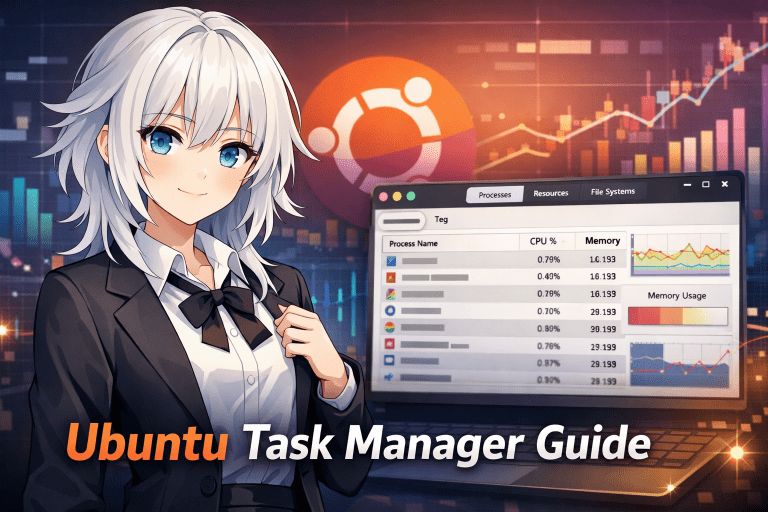
Ubuntu Task Manager Guide: How to Open, Use, and Kill Frozen Apps

1. What Is the “Task Manager” in Ubuntu? Users who move from Windows to Ubuntu often ask the same question: “Where is the Task Manager in Ubuntu?” On Windows, you can press Ctrl + Shift + Esc to insta […]

続きを読む
Basics of Ubuntu
  • 2025-12-28

How to Restart Ubuntu Using Keyboard Shortcuts: Fast, Safe, and Reliable Methods

1. What Does It Mean to Restart Ubuntu Using Keyboard Shortcuts? Ubuntu provides several ways to restart the system using only the keyboard, without relying on a mouse. These methods are commonly refe […]

続きを読む
Customization and Configuration
  • 2025-12-28

How to Set and Manage Time Zones on Ubuntu: Complete Guide for Beginners and Servers

Introduction Have you ever felt that the time is incorrect on Ubuntu, that log timestamps do not match, or that cron jobs run at unexpected times?In many cases, the root cause is the time zone configu […]

続きを読む
Basics of Ubuntu
  • 2025-12-25

How to Zip Files and Folders on Ubuntu: Complete Guide for GUI and Terminal Users

1. Main Ways to Create ZIP Archives on Ubuntu Ubuntu provides several methods for compressing files and folders into ZIP format.To ensure that users migrating from Windows or macOS do not get confused […]

続きを読む
System Administration and Optimization
  • 2025-12-25

Ubuntu Time Synchronization Explained: ntpdate, systemd-timesyncd, and Best Practices

1. Why Time Synchronization Is Important on Ubuntu 1.1 Time Is a Core System Primitive on Linux Servers In Linux environments such as Ubuntu, time is not merely display information but a fundamental s […]

続きを読む
Development Environment Setup
  • 2025-12-20

How to Install PHP on Ubuntu: A Complete Beginner-to-Advanced Guide (Ubuntu 22.04 LTS)

1. Introduction Why Use PHP on Ubuntu PHP is a server-side scripting language widely used in many web applications, including WordPress. It has been used extensively in web development for many years, […]

続きを読む
Basics of Ubuntu
  • 2025-12-27

How to Pronounce Ubuntu Correctly: Meaning, Usage, and Common Mispronunciations Explained

1. What Is “Ubuntu” in the First Place? Basic Overview of Ubuntu Ubuntu is one of the most widely used Linux-based open-source operating system distributions in the world. It is supported by a broad r […]

続きを読む
Development Environment Setup
  • 2025-12-27

How to Install Docker on Ubuntu: Complete Beginner-Friendly Guide (Official Method)

1. Introduction When setting up a development environment on Ubuntu, situations where you think “let’s just install Docker for now” have become increasingly common. Web applications, batch processing, […]

続きを読む
Basics of Ubuntu
  • 2025-12-27

What Is Ubuntu Live USB? Complete Beginner’s Guide to Creating, Using, and Persisting Ubuntu Without Installation

1. Introduction: What Is Ubuntu Live USB? Many people want to try installing a new operating system on their computer, but hesitate because they worry, “What if my current Windows environment gets era […]

続きを読む
  • 1
  • 2
  • 3
  • Next

Monthly Popular Articles

  1. オフラインのためランキングが表示できません

CATEGORY

  • Basics of Ubuntu
  • Network Configuration
  • System Administration and Optimization
  • Security and User Management
  • Development Environment Setup
  • Software and App Management
  • Troubleshooting
  • Customization and Configuration
  • Server Setup and Management
  • Backup and Recovery
  • Privacy Policy
  • Sitemap
  • 会社概要
© Copyright 2026 Harnessing the Power of Open Source with Ubuntu.